How Can We Help?
Xtellio Documentation
- Navigate to your Fill-Rite account
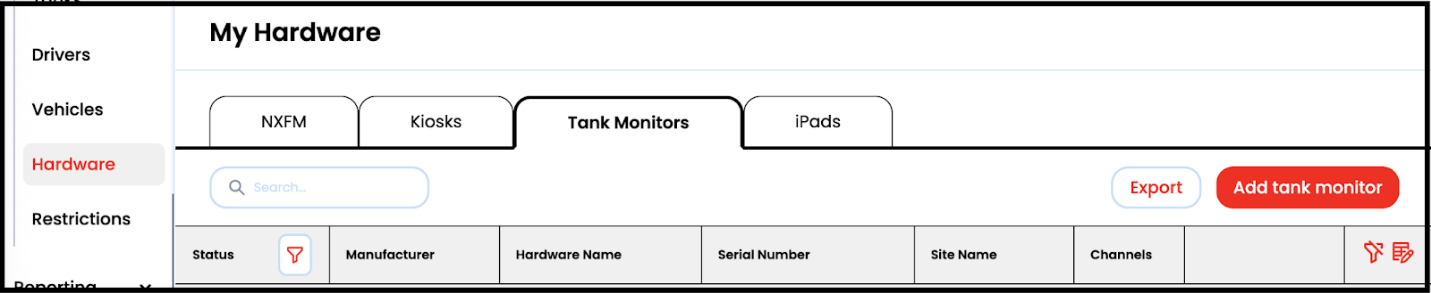
- Go to the My Assets > Hardware section
- Click the Tank Monitor tab and click Add tank monitor
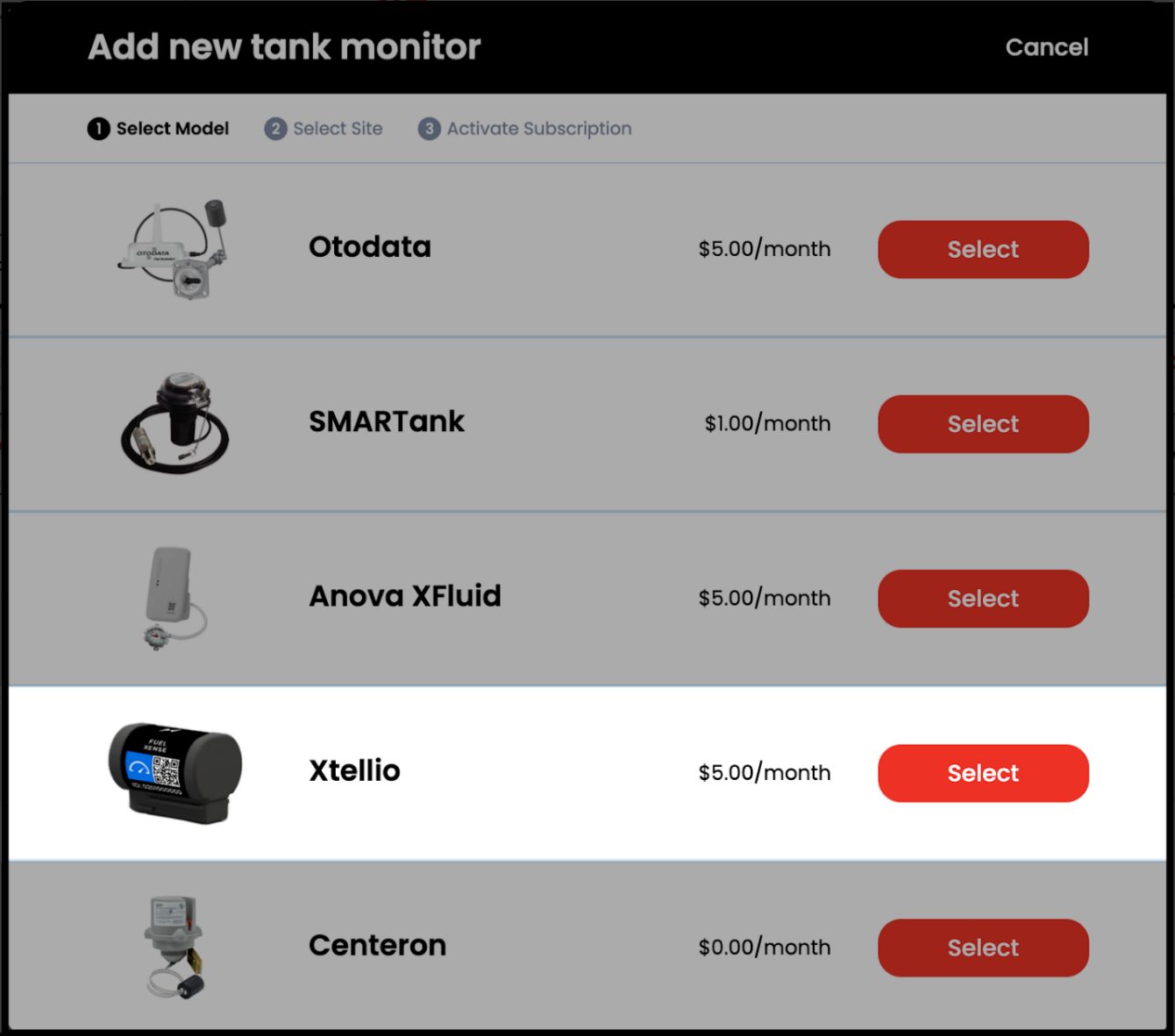
- Select the Xtellio Tank Monitor option
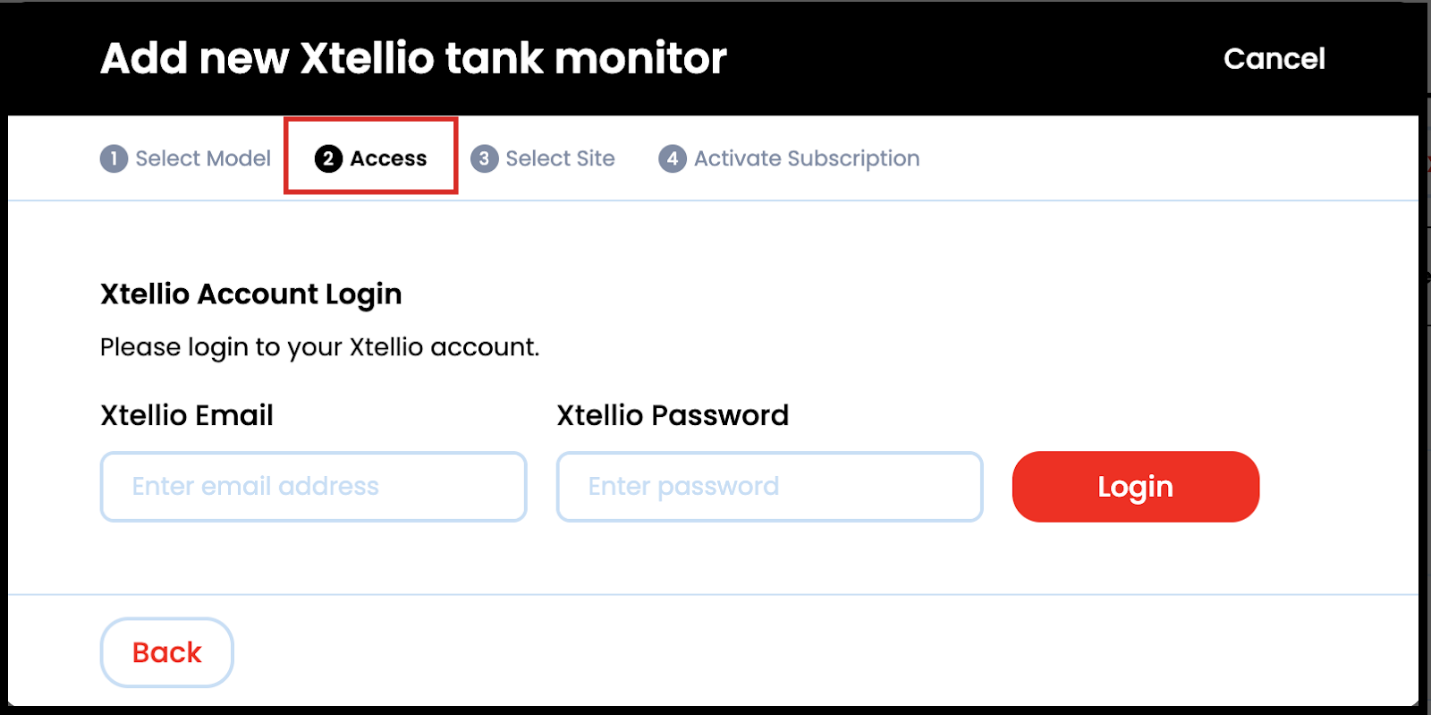
- Enter your Xtellio account information
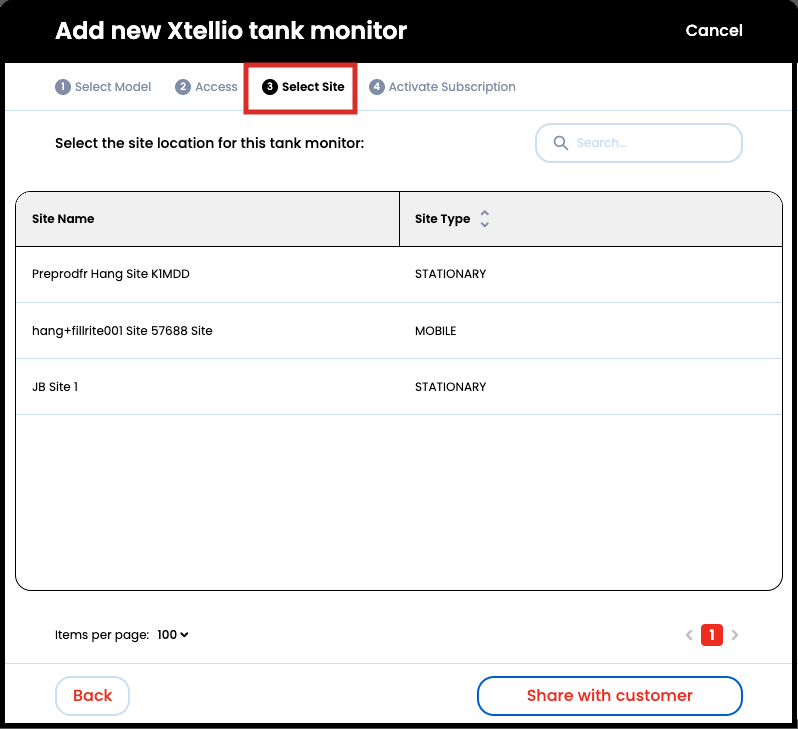
- Select a Fill-Rite Site to add your Xtellio Tank Monitor
- Note: Skip this step if you are adding the device on a Site Detail page
- Note: If you are sharing this device with a customer, choose the Share with customer at the bottom.
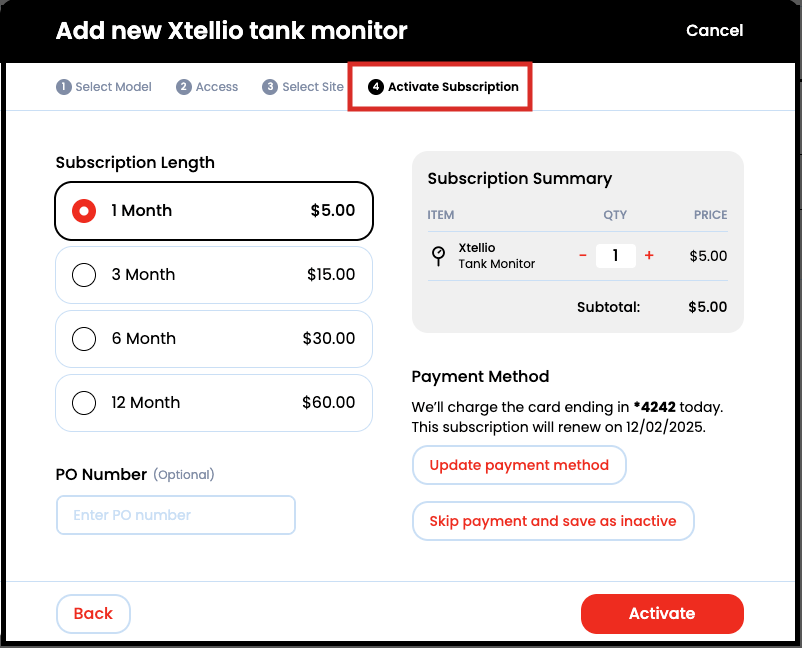
- Activate your Subscription. You can choose 1-, 3-, 6-, or 12-month subscription lengths at the price of $5/month.
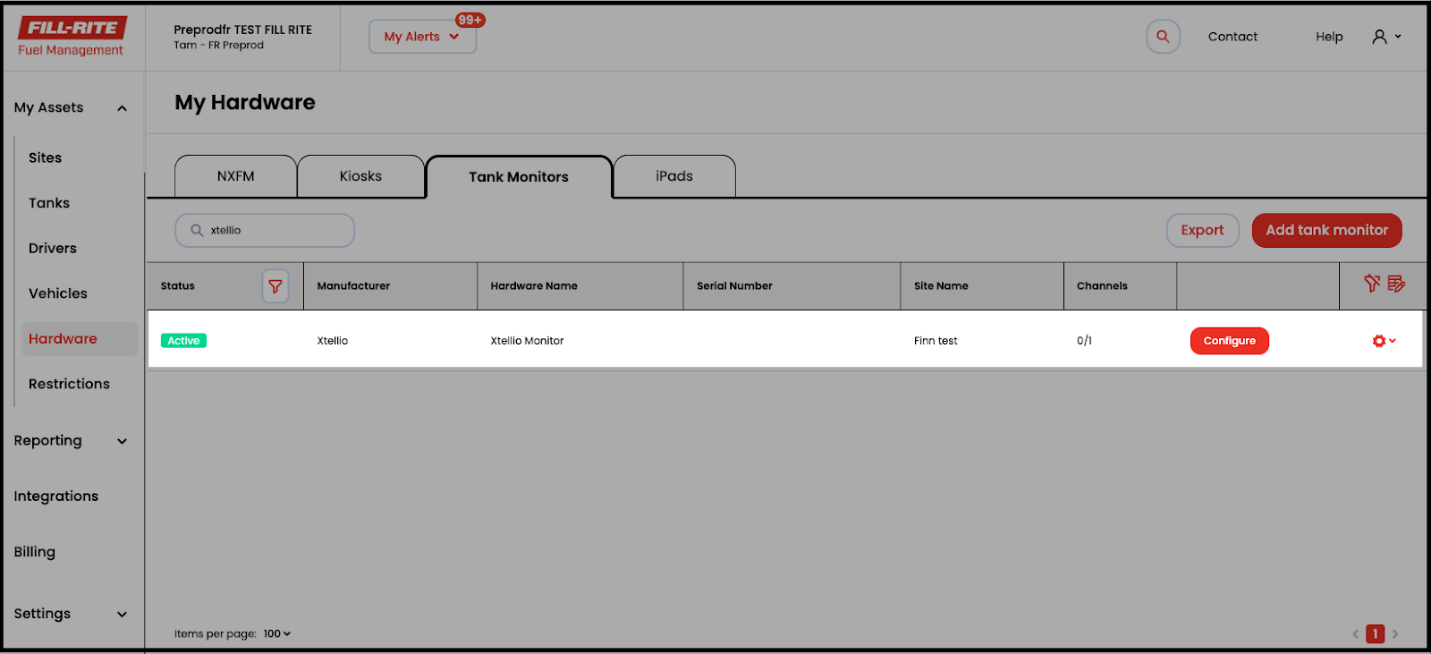
- Click Configure to select your Tank Monitor and connect it to a Tank. If clicking Configure from the Hardware page, you will be taken to the Site Detail page to configure your Tank Monitor.
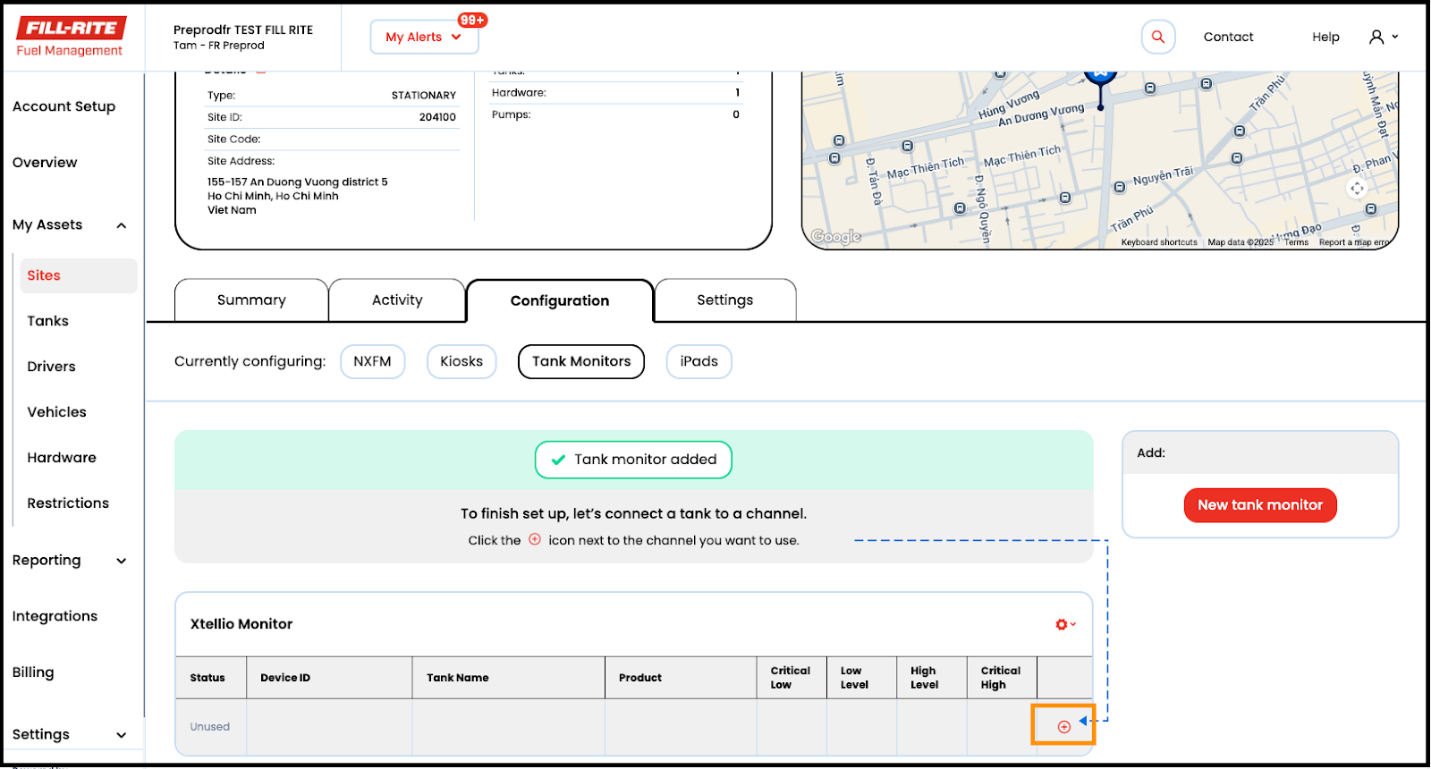
- Click the + icon next to the tank monitor to select the tank and finish the setup
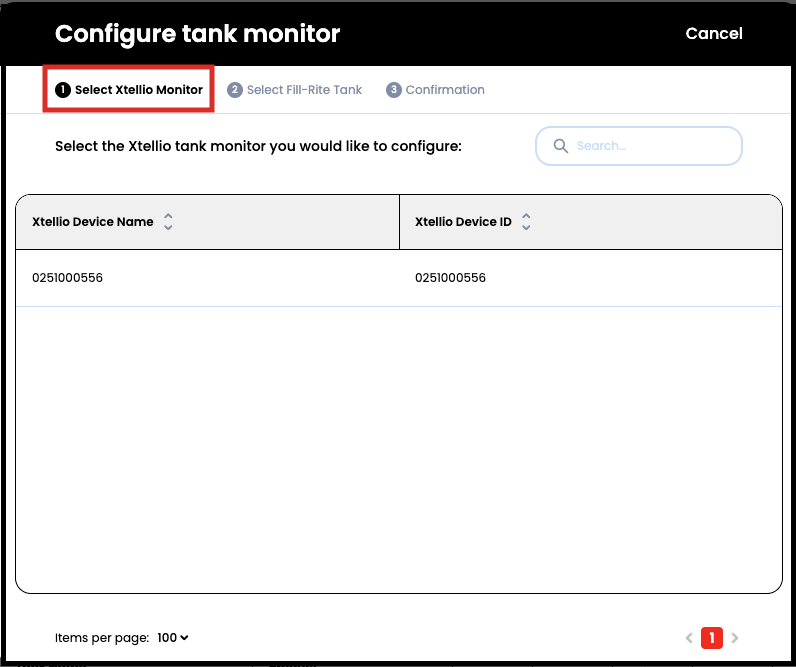
- Select the Xtellio Tank Monitor you would like to configure.
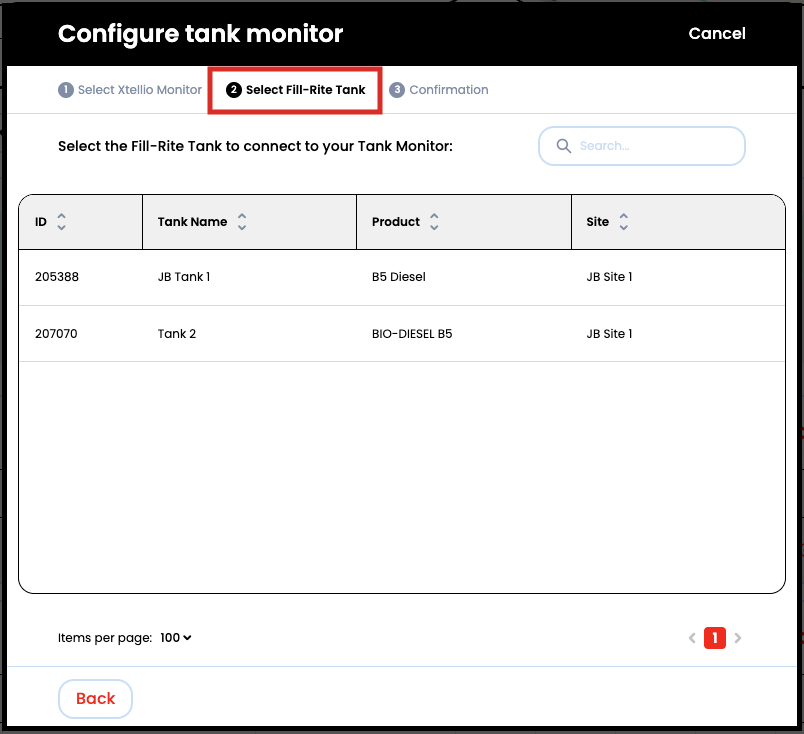
- Select the Fill-Rite Tank you would like to connect.
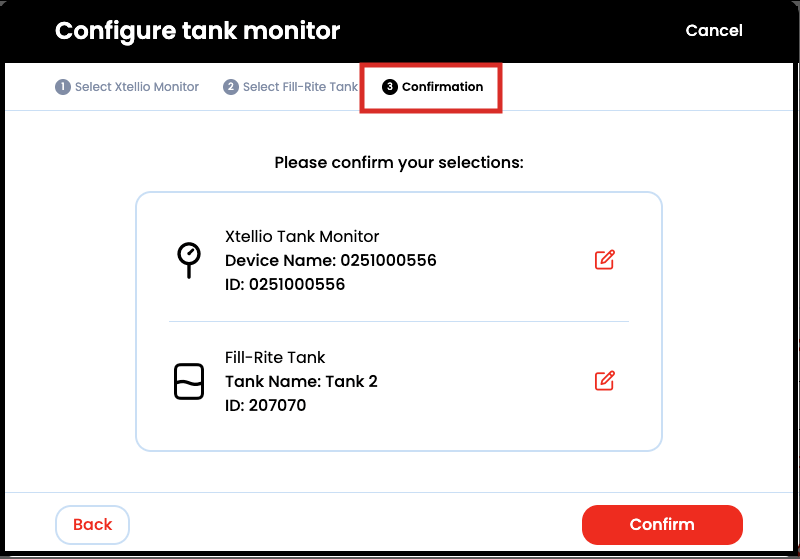
- Confirm your selections
Other Functionality
Share Your Xtellio Tank Monitor
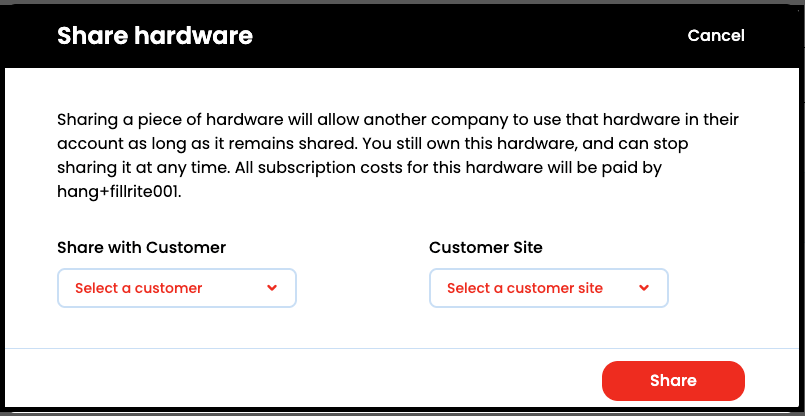
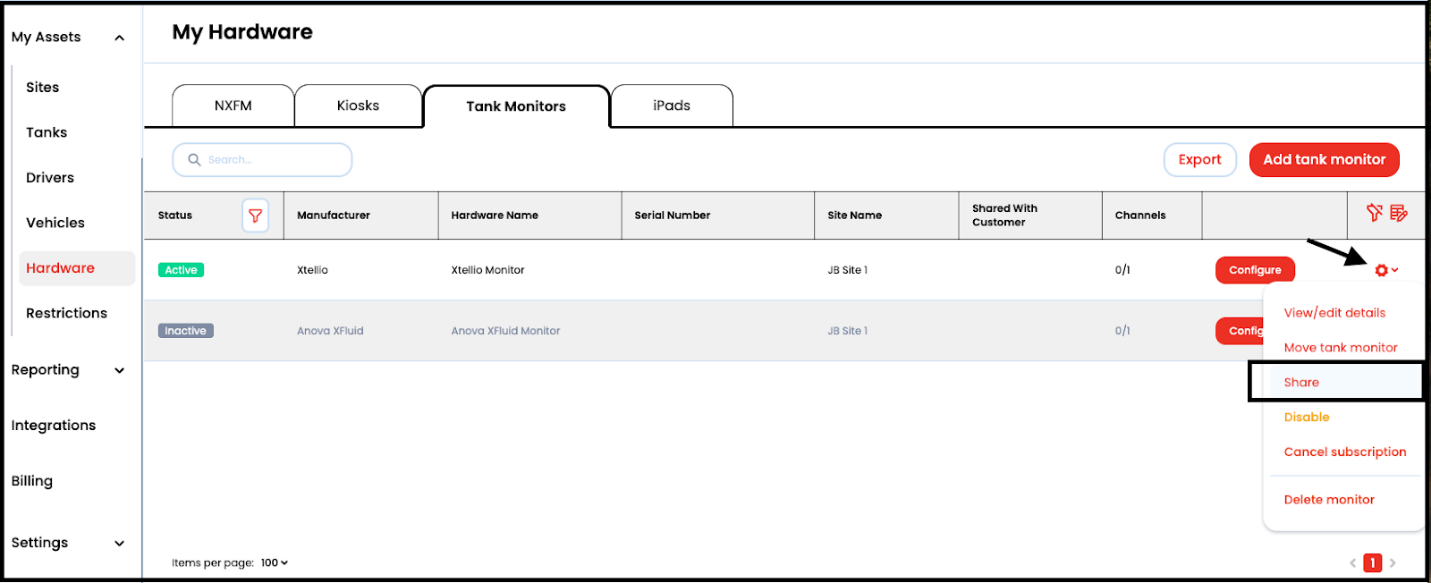
From the Hardware page click the Quick Menu settings cog, then select Share
Or start sharing when first adding the tank monitor
Then select the Customer and Site to share the device with: